You haven't signed in yet, you can have a better experience after signing in
*Please complete the payment within {{receiveCouponInfo.expire_at}}Previous use*
You haven't signed in yet, you can have a better experience after signing in





Activity Rules
1、Activity time:{{ info.groupon.start_at }} ~ {{ info.groupon.end_at }}。
1、Activity time:cease when sold out。
2、Validity period of the Group Buying:{{ info.groupon.expire_days * 24 }} hours。
3、Number of Group Buying:{{ info.groupon.need_count }}x。
Please Pay Attention
1、Teamwork process: Join/initiate a Group Buying and make a successful payment - Within the validity period, the number of team members meets the activity requirements - Group Buying succeeded!
2、If the number of participants cannot be met within the valid period, the group will fail, and the paid amount will be refunded in the original way.
3、The number of people required and the time of the event may vary among different products. Please pay attention to the rules of the event.
Navicat for SQLite database management and development tool software







Navicat for SQLite is a powerful and comprehensive SQLite graphical user interface that provides a complete set of database management and development functions. Optimize your SQLite workflow and productivity - you can quickly and securely create, organize, access, and share information.
Seamless data migration
Data transmission and synchronization allow you to easily and quickly migrate data at low cost. Provide detailed guidance on transferring data between various database management systems. Use data synchronization to compare and synchronize databases. It only takes a few seconds to set up and deploy comparisons, and obtain detailed scripts for the changes you want to run.
Diversified operation tools
The import wizard can transfer data in different formats to a database, or set up a data source connection and use ODBC for transmission. The data of sets, views, or query results can be exported to formats such as Excel, Access, CSV, etc. Use tree views, JSON views, data table style grid views, and a series of data editing tools to add, modify, and delete records, making it easy for you to edit data. Navicat supports MongoDB 4 transaction functionality, providing you with the tools you need to effectively manage data and ensure smooth progress.
Simple query editing
Visual query creation tools help you create, edit, and run queries without worrying about syntax and correct command usage. By suggesting keywords and reducing repetitive input of the same code, automatic completion of code and custom code snippet functions can make coding faster.
Intelligent Object Designer
Create, modify, and manage all database objects using our professional object designer. Before running MapReduce work, preview the results of each step and debug the sampling data. Using carefully designed GridFS forms to store and retrieve files from the MongoDB database, it allows for parallel upload or download processes.
Enhancing productivity
MongoDump's intuitive graphical user interface can guide you through the entire backup process and reduce the chance of errors. Automatically run at a specific time or date for repeatable deployment sequences such as MapReduce work and script execution. No matter where you are, you can always get things done.
Intelligent Mode Analyzer
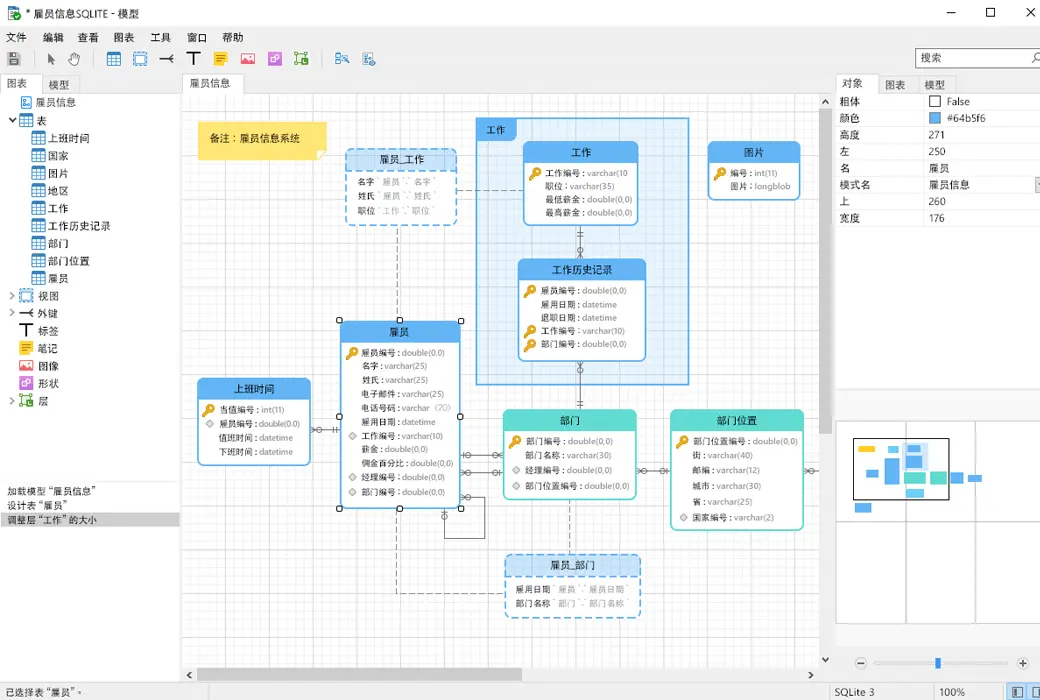
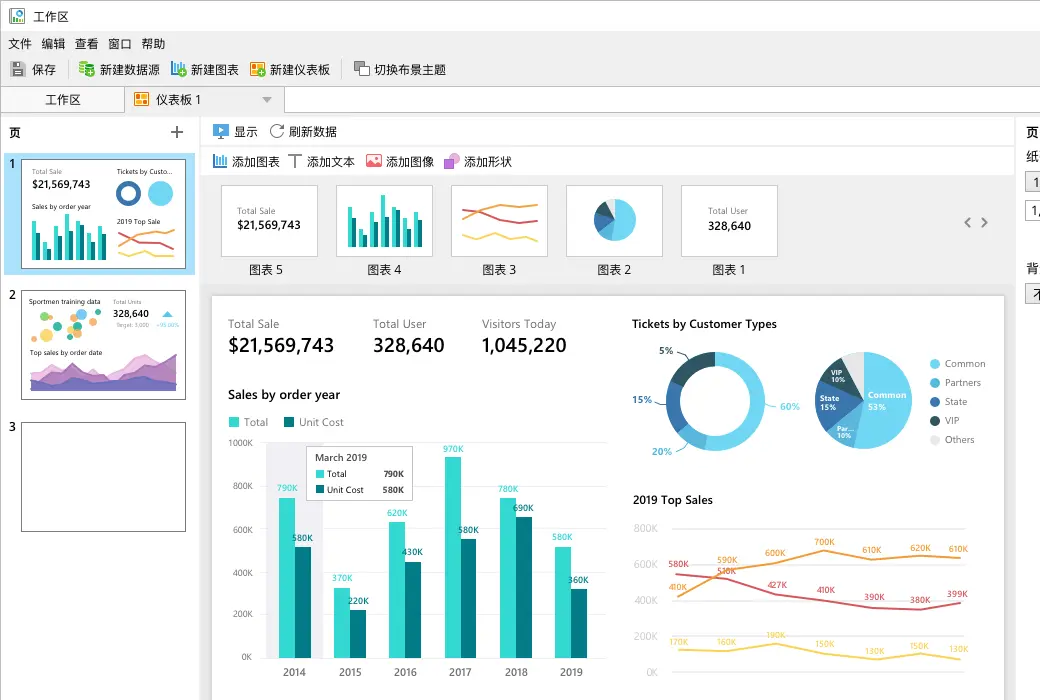
Explore your patterns using built-in visualization tools. Analyze the document and display the rich structure in the collection, so that you can understand the data pattern, detect pattern exceptions and check outlier.
Collaborative cooperation is more convenient
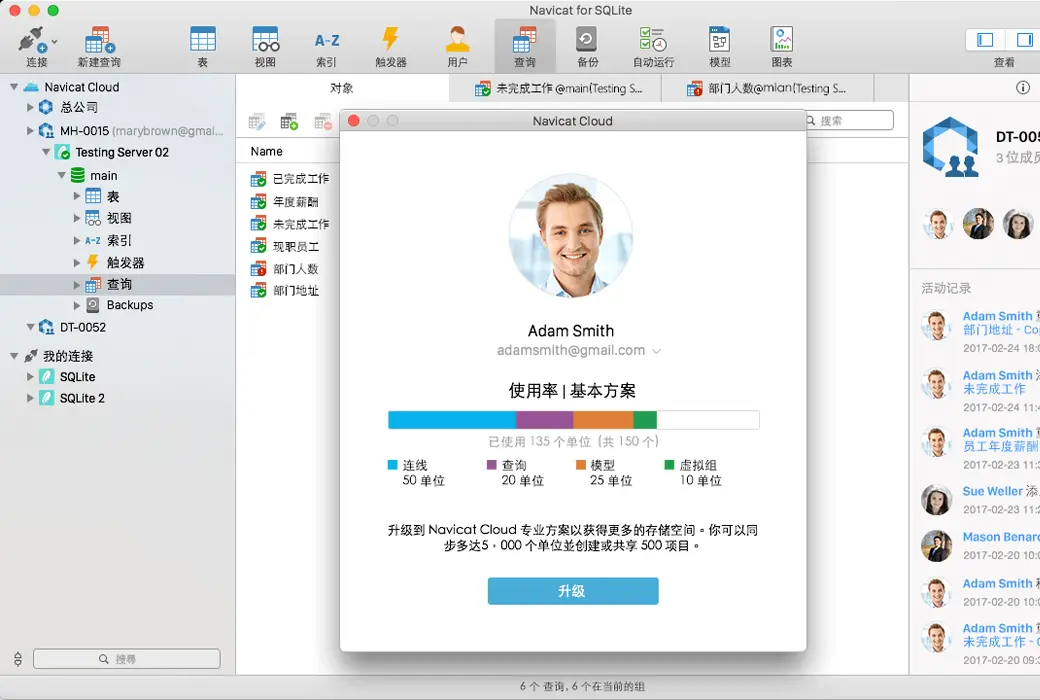
Sync your connection settings, queries, and virtual groups to our Navicat Cloud service so you can access them in real-time and share them with colleagues anytime, anywhere. With Navicat Cloud, you can utilize every minute to maximize your productivity.
Advanced Secure Connection
Create secure connections through SSH channels and SSL, ensuring that each connection is secure, stable, and reliable. We support different authentication methods for database servers, such as Kerberos and X.509 authentication. Navicat provides more verification mechanisms and high-performance environments, so you no longer need to worry about connecting using an insecure network.
Cross platform license
Now you can use cross platform licenses in Navicat. Whether running on Windows, macOS, or Linux, you can purchase once and choose the platform you want to activate. In the future, you can transfer the license to another platform for use.
Dark Mode
Set a dark background theme to protect your eyes from the traditional dazzling white color of the computer. In dark mode, the appearance of the page does not change any behavior.
Official website:https://www.navicat.com.cn/download/navicat-for-sqlite
Download Center:https://navicat-for-SQLite.apsgo.cn
Backup Download:N/A
Delivery time:Manual shipping
Operating platform:Windows、macOS、Linux
Interface language:Supports Chinese interface display.
Update instructions:The subscription version has unlimited updates, while the permanent version only supports small version updates.
Pre purchase trial:Free version with limited functionality before purchase.
How to receive the goods:After purchase, the activation information will be sent to the email address at the time of placing the order, and the corresponding product activation code can be viewed in the personal center, My Orders.
Number of devices:Can install 1 computer.
Replacing the computer:Uninstall the original computer and activate the new computer.
Activation guidance:To be added.
Special instructions:To be added.
Reference materials:https://www.navicat.com.cn/products/navicat-for-sqlite

Any question

Navicat is widely used by individuals, various educational institutions, and non-profit organizations for daily database management.
If you intend to purchase a license for personal use and you are the sole user, or for use in non-profit organizations and educational institutions, Navicat Non-Commercial Edition is the best choice for you.
The Non-Commercial Edition is not only cheaper than the Enterprise or Standard Edition, but it also offers the same functionality.
Navicat Non-Commercial Edition licenses are limited to educational or non-profit use and must be held by one of the following recognized institutions: schools
libraries
secondary schools
universities
museums
research institutions
churches
charitable organizations. For individuals, if you are a freelancer and not working for a business, company, partnership, association, or other unit or organization, and will not use this product for commercial purposes, you also meet the criteria to use a Non-Commercial Edition license. Any other use requires the purchase of a full commercial license.